
Custom 3D product configurator
A 3D product configurator turns your catalogue into a web tool where buyers combine sizes, materials and finishes and see the result instantly.
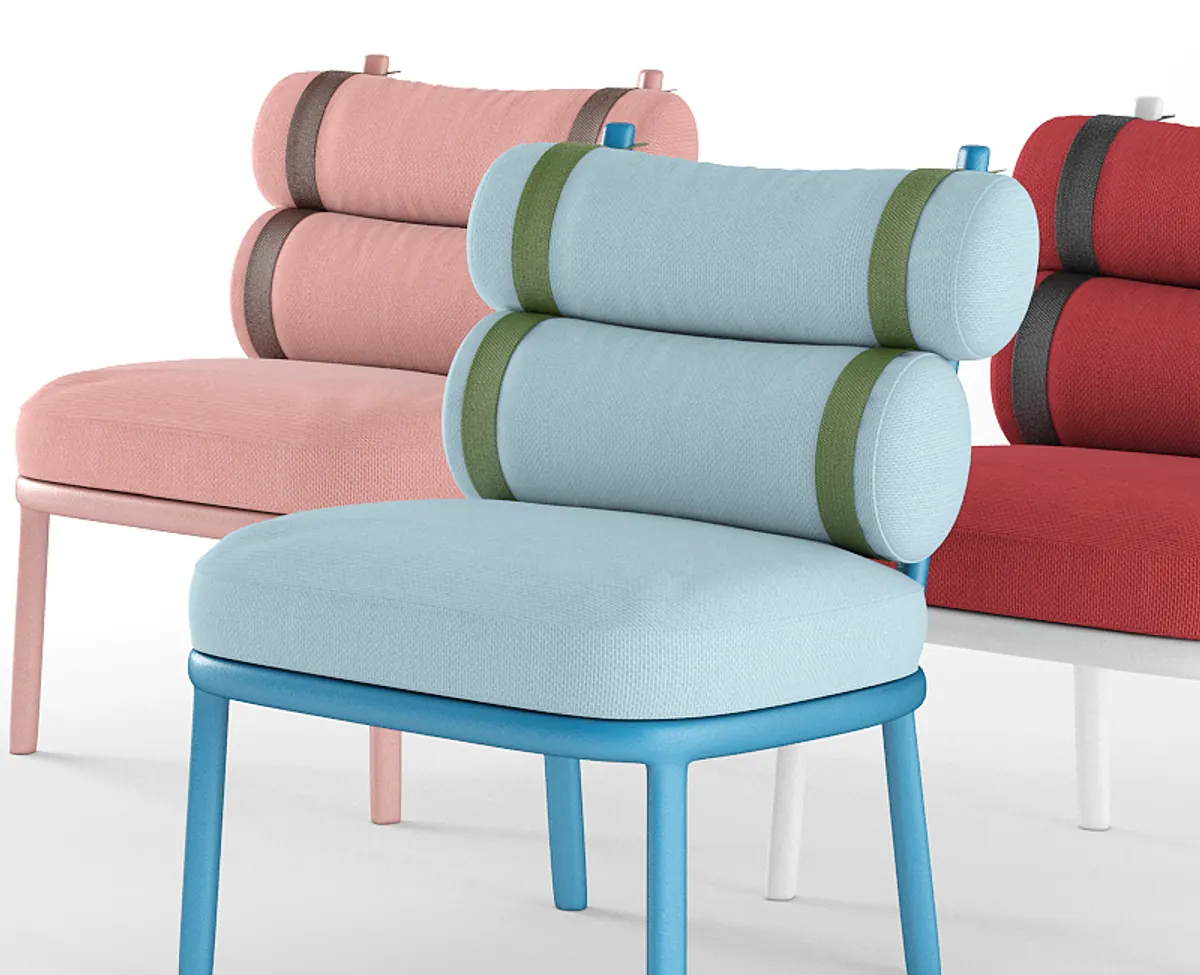
Interactive demo · frame, straps and fabric
Frame Slate Stone · Backrest Charcoal · Seat Charcoal · Straps Cotton
What a 3D product configurator is
A 3D product configurator is a web tool where buyers choose sizes, materials, colours and modules and see the result in 3D immediately. Done properly, every option reflects what the factory can actually build, and the configuration reaches the quote or the ERP without anyone retyping it.
- 01
The real product geometry
The 3D model is the product, not an illustration: sizes, modules and parts as they are made.
- 02
Every finish, from any angle
Fabrics, lacquers and woods read the same up close and far away, with the whole product turning.
- 03
Light enough for web and mobile
Target: under 5 MB per product and 60 fps on a mid-range phone.
- 04
The configuration reaches the order
What the customer picks leaves as an exact reference for the quote, the CPQ or the ERP.
When a custom configurator pays off
It pays off when the catalogue holds more combinations than a PDF can explain, when price depends on the configuration, or to lift customer conversion on highly customisable products.
Images, real time or pixel streaming
All three show the product and answer the same question: how much realism the purchase needs and how much weight the page can carry. What changes is the cost per user, the behaviour on mobile and what can be modified live.
| Criterion | Pre-rendered images | Real time (WebGL) | Pixel streaming |
|---|---|---|---|
| Visual quality | High | Medium | Top |
| Web weight | Light: 100–300 KB per view | Target < 5 MB per product | Almost nothing client-side: interactive video |
| Mobile | Runs on any phone | Target 60 fps on a mid-range phone | Depends on the network; needs good coverage |
| Cost per user | Zero: they are files | Zero: the work happens on the device | One cloud GPU per connected user |
| When to use it | Large catalogues and studio photography | A product that is rotated, opened and combined | Automotive, marine and trade-fair screens |
From CAD to configuration in four steps
The work runs in four stages and is measured in weeks, not quarters. First we settle exactly what can and cannot be configured. Then geometry, then the rules for combination and price, and finally the integration with your site and your system.
- 01
We import your CAD
We start from STEP, IGES, SolidWorks or Rhino. If no model exists, we build one from drawings, photos or the physical product.
- 02
We optimise the mesh
From millions of polygons to tens of thousands, silhouette intact. Target: under 5 MB per product and 60 fps on mobile.
- 03
We write the rules
What combines with what, which sizes are valid and how price changes. This is the part no closed platform will build around your factory.
- 04
We publish and integrate
We embed it in your site and connect it to your ERP, CPQ or store. You get the code and the models.
Frequently asked questions
How much does a 3D configurator cost?
There is no single price. It depends on the number of products, the variants and combination rules, how many 3D models have to be built or adapted, and the integration with ERP, CPQ or ecommerce. After a 30-minute call we send a fixed proposal.
Custom configurator or SaaS?
A SaaS solves simple catalogues in days with little upfront investment. Custom pays off with many variants, manufacturing rules, configuration-dependent pricing or ERP integration, and when you want your own site and your own code.
Which technology will you choose for my product?
Three things decide it: how much realism the purchase needs, how much weight your page can carry and how many combinations exist. We recommend one on the first call and explain what you lose with the others.
Does it work on mobile?
Yes. The target is 60 fps on a mid-range phone and under 5 MB per product. If the product cannot get there, we say so before starting and propose images or a simplified version.
Does it integrate with my ERP or online store?
Yes. The configuration can leave as an order line, an item reference or JSON into your CPQ. We work with whatever API you have; if there is none, we define the format with you.
Do I need my product in 3D already?
No. If there is CAD, we start there. If there are only drawings, photos or a physical unit, we build the model.
How many options should a configurator show?
The ones that change the buying decision, and no more. Personalisation helps until too many options stall the sale. So we put what matters most first, such as size or finish, group the rest and start from a recommended configuration. The full catalogue stays available without appearing all at once.
What is the difference between a 3D viewer and a configurator?
A 3D viewer shows the product and lets you rotate it. A configurator adds the rules: which combinations exist, what each one costs and how it reaches the order. If the product has no variants, a viewer is enough.